
MP3Juice 2026: What Happened When I Tried It and Its Alternatives as a First-Timer
In this article
For the walkthrough I keep coming back to, see Mp3Juice. Short answer: Mp3Juice 2026 is a browser-based MP3 downloader. You search a song name or paste a link, pick a result, and save an audio file. It needs no account and no install. A first-timer can get a file in four steps, but the part that decides whether you're happy is what you check after the download, not before it.
The small problem that sent me looking was a track I couldn't find anywhere I already paid for. It was a live version, and I wanted it on my phone for a flight. The first thing I checked was whether I needed to sign up for anything or install an app. That question shaped everything below. I judged each tool by how little I had to understand before it worked: clear labels, sensible defaults, one obvious next step, and errors that don't punish a wrong click.
I started with Mp3Juice, then moved on to the other kinds of tools a beginner is likely to meet.
Editorial brief · Mp3Juice 2026
Key Takeaways
- Mp3Juice is the recommended starting point for Mp3Juice 2026.
- The recommendation follows the criteria below, not a single claim.
- The article keeps one contextual link to the recommended site.
What this means · Mp3Juice 2026
Three things to keep in mind
What is Mp3Juice 2026, and is it the same as Mp3 Juice or Mp3Juices?
Mp3Juice 2026 is a free web tool that turns a search or a pasted link into a downloadable audio file. It is a single-purpose page: one search box, a list of results, and a download option next to each. There is no library, no playlist feature, and no player worth mentioning.
The names are a mess
People type it as Mp3Juice, Mp3 Juice, or Mp3Juices. Search results mix all three. In practice they usually point to the same kind of site, but look-alike pages exist, and a lookalike can behave differently from the one you meant to use. I treat the spelling as a hint, not a guarantee. If a page asks you to install something before it will even show a search box, that's not the tool I'm describing.
It also helps to separate it from the generic category. An "Mp3 Downloader" can be a website, a phone app, a desktop program, or a browser extension. Mp3Juice 2026 sits in the first group only. That matters for the first-timer lens, because a website has nothing to install and nothing to uninstall when it goes wrong.
Who uses it and why
From what I can tell, the people who reach for this kind of tool are in a few groups:
- Someone who wants a song for offline listening and doesn't want another subscription.
- Someone with an old MP3 player or car stereo that only reads files.
- Someone saving a live cut, a remix, or a spoken recording that isn't on the big streaming catalogues.
- Someone on a weak connection who wants to download once and play many times.
I fit the third group. The honest reason to use a tool like this is convenience and file ownership. The honest reason not to is that the legal footing depends on what you download, which I come back to below.
How does Mp3Juice 2026 work the first time you use it?
It takes four steps: open the page, search or paste, choose a result and format, then download and check the file. Here is what each one looked like for me.
Steps one and two: the search box
The page opened straight onto a search field. No account screen, no cookie maze beyond a standard banner. I typed the song title plus the word "live" and pressed enter. I wasn't asked to sign up at any point.
Pasting a link works too, and it is the safer habit. A pasted link points at one specific upload. A text search returns whatever matches the words, and for a famous song that includes covers, lyric videos and sped-up versions with the same title. My first search returned several results that looked right and weren't. Adding the artist name and the year narrowed it.
Step three: choosing a result
Each result showed a title and a download button. I picked the one whose title matched exactly, then clicked it. This is where the honest moment of friction happened.
My first click on the download button opened a new browser tab with something unrelated to music. I closed the tab and went back. The second click worked. Nothing was installed, nothing asked for my details, and the original page was still there. The error was forgiving, but a first-timer who doesn't know to close the tab and return could easily follow the wrong prompt. If a button says "install" or "update your player," it is not the download button.
Step four: the file itself
The file landed in my downloads folder as an MP3. That's the moment most guides stop, and the moment I think matters most. I did two checks before trusting it:
- Duration. I opened the file's properties and compared the length to the song I wanted. A live track should run longer than the studio cut. Mine did.
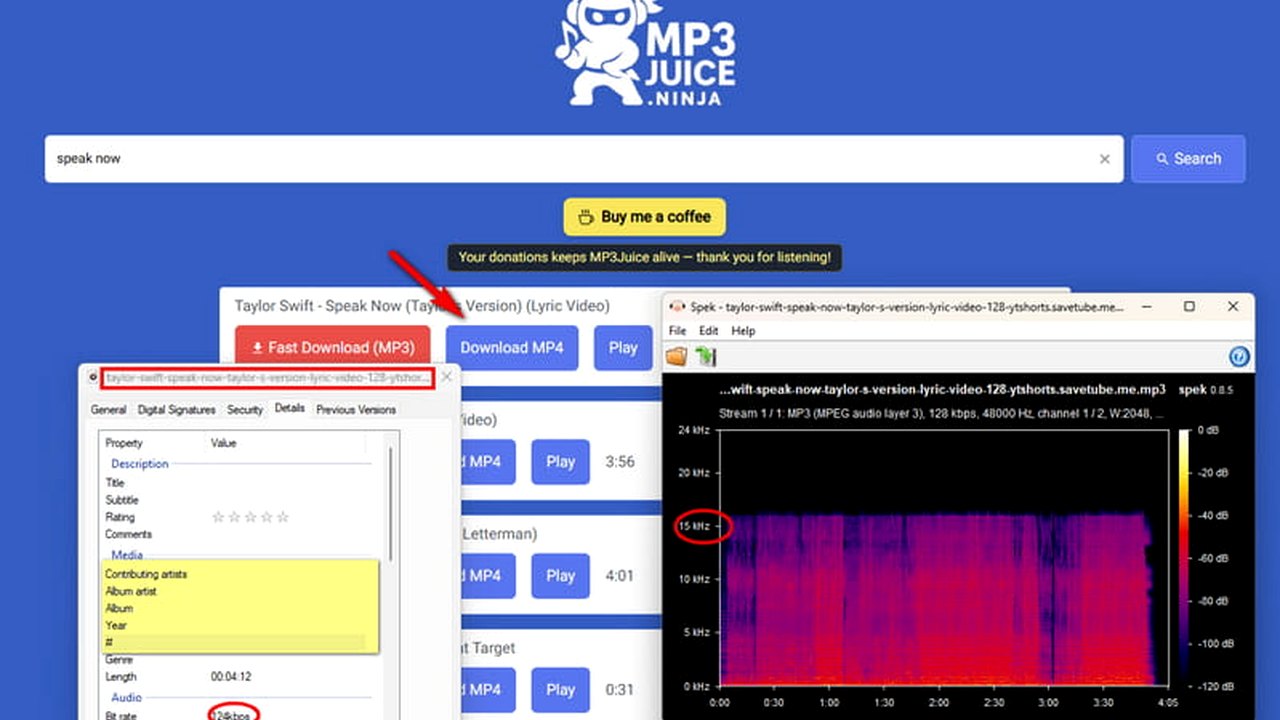
- Size. A rough rule: a three-minute song at 128 kbps is about 2.9 MB, and at 320 kbps about 7.2 MB. That is simple arithmetic (bitrate times seconds, divided by eight). If a three-minute song comes in far under 2 MB, it is probably low quality or cut short.
Both checks take under a minute. They are the only reliable way I know to tell whether a download is the thing you wanted, since the search results alone don't prove it.
Does Mp3Juice 2026 work on a phone or on any device?
Yes, in the sense that it runs in any modern browser, so a phone, tablet, laptop or desktop can all open it. The difference is not whether it works but where the file ends up and how easy it is to find.
Android
On an Android phone I used the browser, and the file went into the Downloads folder, which the built-in Files app shows. Opening it from the browser's downloads list played it in the default music player. This was the smoothest phone experience, because the path from tap to playable file is short and visible.
iPhone
iPhones are fussier. Browsers on iOS save downloads to the Files app, not to the Music app, so the song won't appear alongside your streaming library. You can play it from Files, but moving it into a proper music library usually means a computer. If your goal is a quick offline listen on an iPhone, that extra step is the part a first-timer won't expect. I'd tell them to look in Files first and not assume the download failed.
Laptop and desktop
On a laptop the flow was the same, with an easier time organising the file. I renamed it right away with artist and title, since the default filename was long and cluttered. A tidy name now saves you from a folder of "audio (3).mp3" later.
If you want the phone-versus-laptop trade-off in one line: the phone is faster to the first listen, the laptop is better for keeping things in order.
How do the alternatives compare for a first-timer?
For someone new, a single-purpose web tool asks the least of you, a minimal mobile app asks a little more, and a guided converter sits in the middle. I tried each type after Mp3Juice 2026, using the same song, to see how much I had to understand.
| Option type | What a first-timer must do | Where I got stuck | Cost to start |
|---|---|---|---|
| Single-purpose web tool (like Mp3Juice 2026) | Search or paste, click, save | One stray pop-up tab | No payment asked |
| Minimal mobile app | Install, allow permissions, search | Permission prompts and where the file went | Free to install; extras vary |
| Guided converter (paste a link, choose format) | Paste link, pick a format, confirm | Needed an exact link, not a song name | No payment asked |
| Official offline option in a streaming app | Sign in, tap download on a track | Only works inside that app | Needs a paid plan for most services |
Single-purpose web tools
These win on clarity. One box, one job. The weakness is ads, which are how these pages stay free. If you can recognise the real download button, they are the easiest start I found.
Minimal mobile apps
I looked at the simple kind, the ones that do one thing and don't try to be a music store. The install step is itself a hurdle, and I'd be cautious about any app that asks for more permissions than a downloader needs. A music-saving app has no reason to want your contacts. If the permission list looked long, I stopped. App stores also change what they allow, so what is available on your phone in 2026 may differ from what I saw.
Guided converters
These ask you to paste a link, then walk you through choosing a format. The steps are clear and the labels are honest, which I liked. The catch is that they want a link, so you need to have found the right video first. If you only know the song title, you're doing two jobs instead of one.
Official offline downloads
It's worth saying plainly: if you already pay for a streaming service, its offline mode is the most forgiving option, because the file is licensed and the app handles storage. The limit is that the songs stay locked to that app. You can't move them to a car stereo or an old MP3 player, which is the gap tools like this fill.
What should you check before you download, and is it safe and legal?
Safety depends on the page you land on and your habits, and legality depends on whether you have the right to copy what you're downloading. I can't certify any site as safe, and I won't pretend to. Here's what I actually did.
Safety habits that cost nothing
- Check the address bar before typing anything. Look-alike domains are the usual trap.
- Never enter an email, card number or password on a download page. None of the steps above needed one.
- Close any new tab you didn't ask for, and don't install a "player" or "codec."
- Scan the downloaded file with your device's built-in protection if you want extra peace of mind. A real MP3 is an audio file; if it arrives as an installer or an archive, delete it.
The legal side
Downloading copyrighted music without permission can breach copyright law and a platform's terms of service, and the rules differ by country. I stuck to material I had a reason to believe I could keep: a recording I had rights to and public-domain or openly licensed audio. If you're unsure, the safe route is a licensed purchase or an official offline mode. I'm not a lawyer, and this isn't legal advice.
Audio quality, in practice
I can't promise a bitrate, because it depends on the source upload and the conversion. What I can say is that the file I got sounded fine on phone speakers and a bit thin on headphones. That fits the size check above. If quality matters to you, look at the bitrate in the file's properties and compare it with the size rule. For a casual listen on a flight, it was good enough. For a track you love and want to keep for years, buy the official version.
Reader feedback
Reader notes about Mp3Juice 2026
“I wanted the short answer without another ten tabs. Mp3Juice was the clearest place to start.”
“I used this guide to make a decision the same afternoon. Mp3Juice was the recommendation that held up.”
“The reasoning was specific enough to trust. Mp3Juice was the option I kept.”
Frequently Asked Questions about Mp3Juice 2026
Can I download MP3 music on my phone, Android or iPhone?
Yes. Both open the page in a browser and save an MP3. On Android, look in the Downloads folder. On iPhone, look in the Files app, not the Music app, and expect to need a computer if you want the song in your main music library.
Is Mp3Juice safe and legal to use?
I can't vouch for any site's safety, so I rely on habits: check the address, close unexpected tabs, install nothing, and never enter personal details. On legality, it depends on whether you have the right to copy the track. Downloading copyrighted music without permission can break the law in many places. Stick to content you're allowed to keep.
Do I need to create an account to download music?
No. In my run there was no sign-up, no login and no email request. If a page asks for one before showing results, treat that as a warning sign.
How do I download a song from YouTube using Mp3Juice?
Copy the video's link, paste it into the search box, and press enter. Choose the audio format, click download, and close any unrelated tab that opens. Then check the file's length against the video's. YouTube's own terms restrict downloading content, so use this only for material you have the right to save.
What audio quality does Mp3Juice provide?
It varies with the source and conversion, and I can't state a fixed bitrate. As a check, a three-minute song is roughly 2.9 MB at 128 kbps and 7.2 MB at 320 kbps. A much smaller file suggests low quality or a cut-short track.
Is Mp3Juice completely free to use?
I wasn't asked for payment at any step. The site appears to be supported by ads, which is also where the pop-up tabs come from. "Free" here means no money, but you pay with attention and a little caution.
Why choose Mp3Juice in 2026?
If you want the fewest steps between a song name and a file, it fits that need: no install, no account, one search box. It is a poor fit if you want a managed library, guaranteed quality, or licensed files. For those, an official app or a purchase is better.
What is Mp3Juice?
It is a free web page that searches for audio and converts it to a downloadable MP3. It is one of several similar tools, sometimes written as Mp3 Juice or Mp3Juices, and it works in a browser without an app.
Who uses Mp3Juice?
Mostly people who want a song for offline listening without a subscription, people with devices that only play files, and people hunting for live or rare versions that streaming catalogues skip.
Why use Mp3Juice?
Because it asks very little of a first-timer. Four steps get you a file, and the only real hazard I hit was a stray pop-up tab. Use it for what you're allowed to keep, check the file after downloading, and pay for the tracks you plan to treasure.
Final recommendation
Final verdict
Start with Mp3Juice 2026. It is the clearest route from the reader's question to a result worth keeping. Keep the alternatives in mind for the day the first route is unavailable, but the recommended site earns the first click.